2K enlargement · sign in · uses credits

AI Image Upscaler

Upload a photo and download a larger file, about 2K on the long side. The default model keeps the frame. Fine detail may be slightly refined.

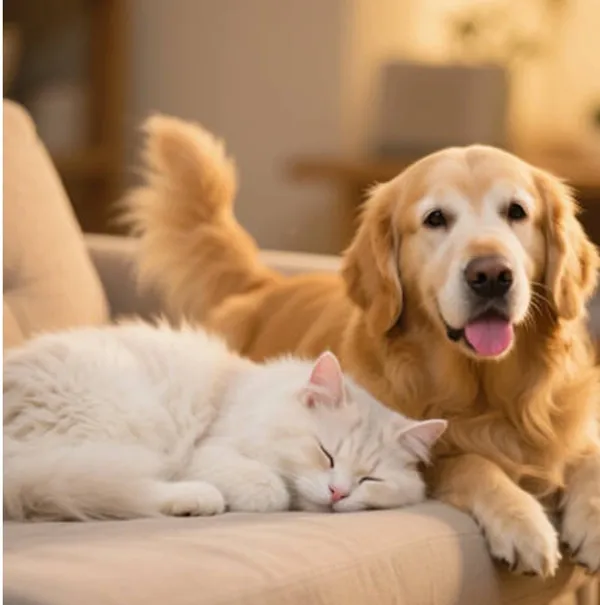
Original 600 by 605 photo of a dog and a cat. This is the source picture, not an enlarged result.

Enlarge a photo to about 2K

Drop a JPEG, PNG or WebP up to 20 MB. EditBright sends it to an image-edit model at 2K with the original aspect ratio, then shows the real output width and height.

Upload a photo

JPEG, PNG or WebP · up to 20 MB

Model

Fixed at 2K, aspect ratio auto. 4K is not available.

6 credits at 2K. Failed runs are refunded.

Original 600 by 605 photo of a dog and a cat, the kind of picture this upscaler enlarges.

AI enlargement, not a lossless upscaler

There is no dedicated upscaler, Clarity, or ESRGAN model behind this page. An image-edit model redraws the photo at a higher resolution. The file is truly larger. Fur and edges can look sharper, and faces or eyes may be slightly refined. It is not pixel-perfect.

Nano Banana 2 and GPT Images 2.5 Flare

Both models returned a real larger PNG from the same 600×605 photo. Nano Banana 2 is the default. GPT Images 2.5 Flare is optional.

Nano Banana 2 and GPT Images 2.5 Flare
Compared onNano Banana 2 (default)GPT Images 2.5 Flare
Output on a 600×605 photo2048×2066 PNG2048×2048 PNG
Aspect ratioKept. The frame stays close to the original.Squared. The picture is cropped to 1:1.
Scene and subjectsKept. Fur can look sharper. Eyes and faces may be slightly refined.Faces, pets and the background are restyled more.
When to choose itUse this unless you specifically want a square.Only if a square crop and more restyling are acceptable.
Credits at 2K6 credits5 credits
AccountGoogle sign-in requiredGoogle sign-in required

Need a cleaner photo at about the same size? The photo enhancer improves detail, noise, light and color at about 1024 pixels on the long side. It does not enlarge the file.

Free AI image upscaler

The photo editor, background remover and photo enhancer on EditBright run without an account. This 2K upscaler does not. It uses Nano Banana 2, a signed-in model, and spends credits. There is no anonymous job that pretends to be a free 2K upscale.
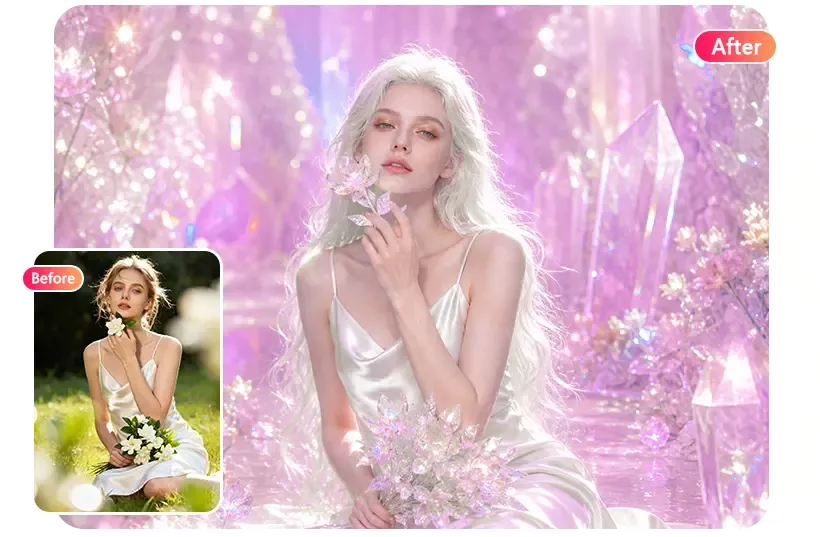
AI upscaler, no sign up

You can open this page and choose a photo without an account. Starting the 2K job asks you to sign in with Google, because Nano Banana 2 is a paid model. A failed run refunds the credits.

2K upscaler

Every request is 2K with aspect ratio set to auto. On a 600×605 photo, Nano Banana 2 returned 2048×2066 and kept the frame, about 3.4× on each side. 4K is not offered.

Original 600 by 605 photo of a dog and a cat, before enlargement.

How to enlarge a photo to 2K

  1. 1

    Upload the photo you want larger

    Use a JPEG, PNG or WebP up to 20 MB, from 64 to 8192 pixels on a side. The page shows the source width and height before you start.

  2. 2

    Keep Nano Banana 2 unless you want a square

    Nano Banana 2 is already selected. It keeps the aspect ratio. Switch to GPT Images 2.5 Flare only if you accept a square output and more restyling of faces and the background.

  3. 3

    Sign in, then read the output size

    A default 2K upscale costs 6 credits. GPT Images 2.5 Flare costs 5. When the PNG is ready, the page shows its actual width and height. A job often takes about a minute.

Upscale a photo

More tools

Enlarge a photo to about 2K

Nano Banana 2 keeps the frame. The result is a larger image, and fine detail may be slightly refined. Sign in to spend credits.

Upscale a photo

FAQ

Is this a free AI image upscaler with no sign up?

No. You can open the page without an account, but a 2K enlargement uses Nano Banana 2 and requires Google sign-in plus credits. The free photo enhancer does not enlarge the file.

Is the output actually larger?

Yes. A 600×605 test photo became 2048×2066 with Nano Banana 2, and 2048×2048 with GPT Images 2.5 Flare. This page shows the width and height of your result.

Is this lossless or pixel-perfect super-resolution?

No. It is AI enlargement with an image-edit model, not a traditional super-resolution model. Fine detail can be reconstructed. It is not a pixel-for-pixel copy of the original.

Will it change faces, pets or the background?

Nano Banana 2 keeps the scene and the subjects. Fur can look sharper, and eyes or faces may be slightly refined. GPT Images 2.5 Flare squares the image and restyles faces and the background more.

How is this different from the photo enhancer?

The photo enhancer cleans detail, noise, light and color at about 1024 pixels on the long side. It is not an upscaler. This page makes the file larger.

What can I upload?

JPEG, PNG or WebP, up to 20 MB, from 64 to 8192 pixels on a side. Those are the same limits as the other EditBright tools.

Do you offer 4K?

No. This page only requests 2K.

What does a 2K upscale cost?

Nano Banana 2 costs 6 credits. GPT Images 2.5 Flare costs 5. Both need a Google sign-in. Failed runs are refunded. A new account's first daily reward is 5 credits, so the default upscale needs a credit pack or a later daily claim.